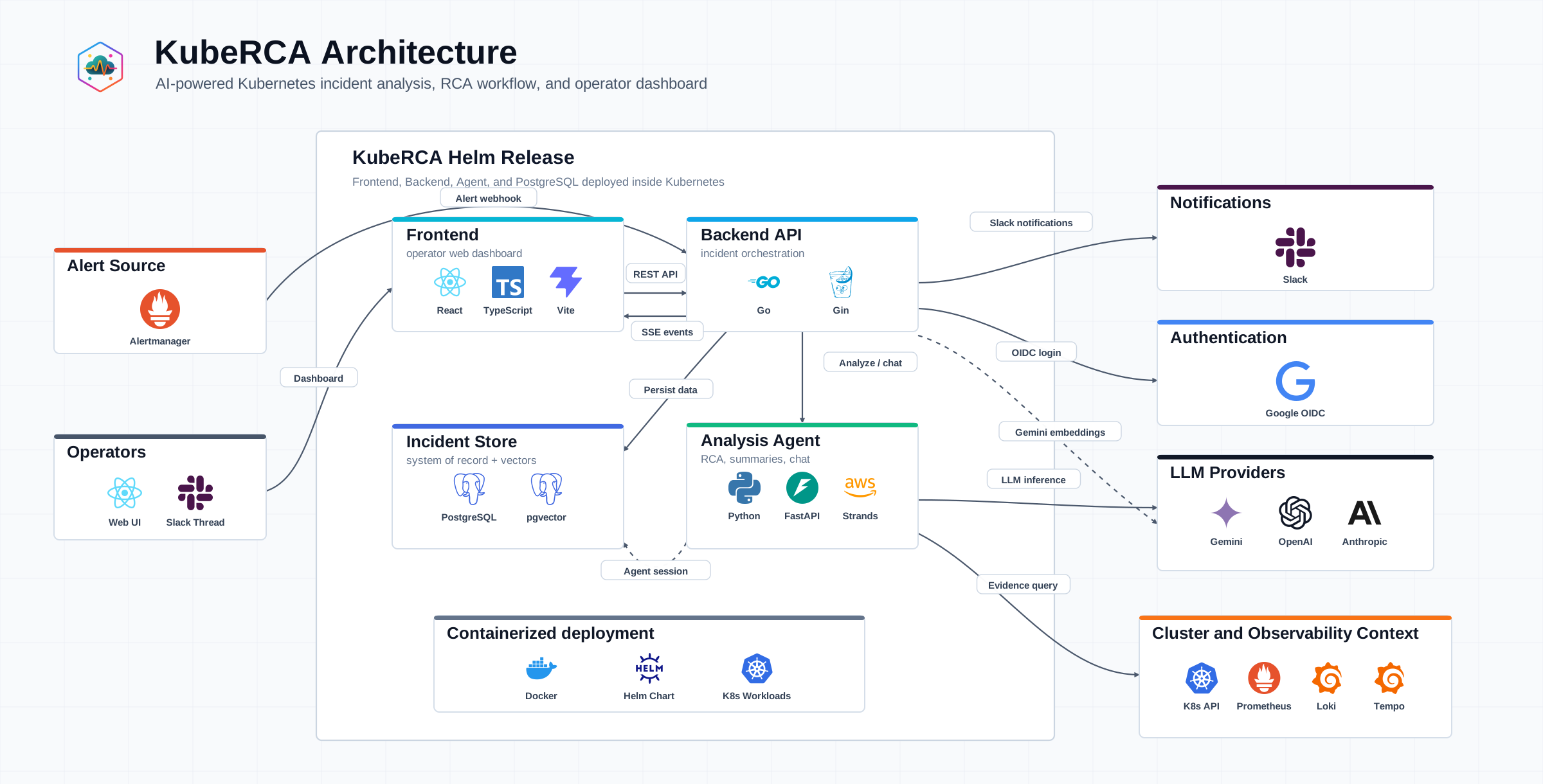
When a technical talk starts with slides, it often starts with an architecture diagram and a feature list. But the question an audience usually carries is not how many features exist. It is why the problem mattered, which constraints shaped the work, and what decision the team made in response. I use the same backwards discipline as Working Backwards: start from what should remain with the audience after the talk.
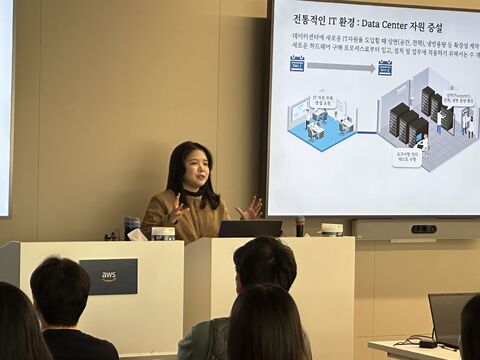
A technical explanation is not only a diagram; it is a flow that lets the audience follow the problem and its constraints.
Start with the sentence people should remember
Write the one sentence the audience should be able to repeat after the session. For KubeRCA, that sentence is not “an LLM that determines the root cause.” It is closer to: “a system that helps an operator assemble evidence and review an RCA faster.”
That sentence is an editing rule, not a marketing slogan. Tool tours, implementation details, and experiments that do not help the audience believe it can move to an appendix. The problem, constraints, decisions, and evidence that make the sentence credible belong in the main path.
Meet the audience at its actual starting point
The same architecture needs a different introduction for SREs, platform engineers, product teams, and students. Before building slides, I write down what the audience already knows and what it still needs to see. For an experienced Kubernetes audience, the useful starting point may be why an incident investigation needs source-aware, time-aware evidence. For a newer audience, it may be the simple reality that one alert spreads the relevant facts across several consoles.
This is not about reducing technical depth. It is about explaining the question each component answers before naming the component. A collector, planner, or human-review stage becomes easier to understand when it follows the scenario: how can facts an operator previously checked in separate places be gathered for one incident?
Use the sequence: problem, constraint, decision, evidence
My preferred flow is simple:
- the recurring problem and its cost;
- the operational, time, or safety constraints;
- the design decisions made under those constraints;
- the implementation and demo that show those decisions; and
- the uncertainty that remains and the next experiment.
The architecture diagram usually appears only after the third step. If it appears first, people spend their attention decoding boxes and arrows. Once they understand the problem and constraint, each boundary in the diagram reads as an answer to a concrete need. In KubeRCA, intake, Kubernetes and Prometheus context, an analysis agent, operator review, and Slack delivery can be explained as one incident flow rather than a component inventory.
Make constraints visible
The most trust-building slide is often not the polished success screen. It is the slide that makes clear what the design intentionally does not do. In KubeRCA and Run:AI RCA, evidence collection is read-only; unsupported conclusions are marked insufficient_evidence; and any action carries approval, impact, and rollback boundaries.
Present these as a chain: constraint, choice, result. For example: a model cannot establish every cause from incomplete evidence; therefore the system lowers confidence when independent live evidence is missing; therefore the operator can choose the next validation step. This makes safety a design decision, not an apology for missing features.
Let a demo prove one claim
A strong demo does not show everything. It proves one claim through one flow. An alert arrives, context is collected, an evidence-backed RCA draft is prepared, and an operator reviews it. That sequence demonstrates Human-in-the-Loop RCA more directly than a tour of every screen.
Prepare the demo as a claim with a fallback. Identify the minimal screens and sentences that preserve the story if a network, login, or data dependency fails. A paused demo should not collapse the reasoning of the talk.
Turn rehearsal and Q&A into design review
Rehearsal is less about memorizing a script than finding unanswered questions. If a presenter cannot answer “why is this component necessary?” in one sentence, the earlier problem or constraint is usually unclear. Q&A makes the same gaps visible: why this composition, what happens when the model is wrong, and who verifies the result in operations?
Capture those questions after the session. They become inputs for the README, backlog, and next talk. A technical presentation is not a finished product announcement; it is a compact design review that lets other engineers inspect the reasoning and make better next decisions.
Keep one question per slide
Slides become dense when one diagram tries to answer everything at once: data flow, security boundaries, deployment, features, and future expansion. Give each slide one job. The first diagram can establish the boundary, the next can trace evidence gathering for an incident, and another can explain why action permissions are separate. Reusing the same diagram is fine when the decision in focus changes.
The longer explanation belongs in a post or repository document. Talks preserve the path that proves the central claim; technical documentation preserves interfaces, data models, evaluation methods, and failure conditions. Together they turn a presentation from a feature list into durable engineering material.
Comments